Hey everyone, it’s Jake from your go-to iPhone screen supplier—thanks for stopping by, whether you’re here because your own iPhone screen suddenly went yellow, or you’re just curious about why those little rectangular panels have such moody displays. I’ve gotten a dozen texts this month from customers and friends alike, all asking the same thing: “Why did my phone’s screen turn yellow out of nowhere? It worked fine yesterday!” So today, I’m breaking this down not just as a supplier, but as someone who’s been working with iPhone screens for over 8 years, fixing them, sourcing parts, and troubleshooting every possible weird display quirk you can imagine. No overly complicated jargon, just real talk about what’s actually going on. Screen for Iphone
First, let’s get one thing straight upfront: if you’re seeing a yellowish tint on your iPhone screen, it’s almost never a random manufacturing defect—though that’s technically possible, and we’ll cover that later. Most of the time, it’s a setting, a software glitch, a tiny hardware quirk, or even something as simple as how you hold your phone. Let’s start with the most common culprit, because I’d say 7 out of 10 people who call me about this have this exact issue: Night Shift. If you’ve ever glanced at your phone right before bed, you’ve probably heard of Night Shift—Apple’s feature that warms up the screen’s color temperature overnight to reduce blue light, which is supposed to help you sleep. But a lot of people don’t realize it doesn’t just turn on automatically at a set time. You can manually toggle it on at any time, and sometimes it gets stuck there. Last week, I had a guy who dropped his iPhone, picked it up, and swiped up to adjust brightness, and accidentally toggled Night Shift on when he meant to turn down the brightness. That’s it—his screen was yellow for two days because he didn’t even notice the tiny moon icon in the control center.
How does Night Shift actually make the screen yellow? Let’s keep it simple. All smartphone displays work by mixing red, green, and blue light to make every color you see. Blue light is the cool, bright part that makes images feel sharp and vibrant. Night Shift cuts way back on the blue light, replacing it with extra red and green light—so the whole screen leans into warm, yellow, orange tones. Apple lets you adjust the intensity, too: if cranked all the way up, that yellow tint is way more obvious than if it’s set to low. I’ve worked with a lot of repair customers who think their entire screen is bad, but turning Night Shift off (or adjusting the schedule) fixes it in 2 seconds.
Next up, another super common setting that causes yellow tint: True Tone. This is the feature Apple added a few years ago that adjusts the screen’s color temperature based on the ambient light around you. So if you’re in a dim room, True Tone makes the screen warmer, and if you’re out in bright sunlight, it makes it cooler to make text easier to read. Sometimes, this feature glitches. Maybe your iPhone’s ambient light sensor (the tiny little dot next to the front camera) gets covered by dust, or a screen protector that’s not properly aligned, or even a smudge of oil that blocks the sensor. If the sensor isn’t getting accurate light readings, True Tone will get stuck in a warm, yellow state even when you’re in bright light. I had a customer come in last month who’d replaced his screen himself and didn’t realize he’d slightly misaligned the light sensor when he put the new display in. His screen was yellow for a week until I pointed out the tiny smudge of adhesive he’d left on the sensor. That’s a hardware-installation issue, not a bad screen part—something to keep in mind if you’ve recently replaced your iPhone screen.
Now, moving past settings and software, let’s talk about hardware issues, because that’s what I deal with every day as a screen supplier and repair partner. The first big hardware cause of yellow tint is old age. iPhone screens are not invincible. The OLED screens in newer iPhones (like the X series, 11, 12, 13, 14, 15) and the LCD screens in older models have a finite lifespan. The organic compounds in OLED pixels degrade over time, especially if you’re using your phone at full brightness most of the time, or leaving static images (like the same wallpaper or a menu screen) up for hours. When OLED pixels degrade, they don’t produce blue light as well as they used to—so the screen takes on a yellow, or even a pinkish, tint. For LCD screens, the backlight (the set of LEDs that light up the entire screen) can dim or shift color as it gets older, leading to that same yellow cast. A lot of customers call me thinking their screen is broken, and it’s just 3 or 4 years old, which is totally normal for heavy use.
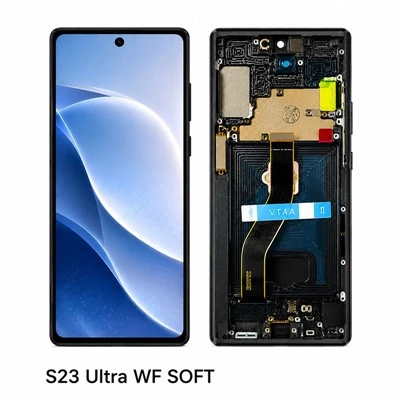
Another hardware-related thing: if you’ve recently replaced your iPhone screen, either with a third-party screen or a used OEM screen, yellow tint is a common compatibility issue. Here’s the thing about iPhone screens: Apple uses proprietary parts and tight integration between the screen and the phone’s logic board. Authentic OEM screens (genuine Apple replacement screens) are calibrated specifically for that model, so they match the color temperature perfectly. But if you get a cheap third-party screen, or even a used screen that’s not properly calibrated, you might get a consistent yellow tint because the color profile doesn’t sync with your iPhone. I’ve seen this a lot—customers buy a $20 screen off Amazon or a random local repair shop, install it themselves, and end up with a yellow screen. At our company, we test every single screen we send out to make sure the color temperature is matched within 2% of Apple’s original specs, so that problem doesn’t happen. That’s why choosing a reputable screen supplier matters more than you think.
Wait, what about those rare cases where the yellow tint is a defect from manufacturing? Yeah, that’s possible. Every screen production line has occasional QA misses—maybe a batch of OLED pixels got mismatched, or a backlight component was off by a few degrees during assembly. But that’s extremely uncommon, and usually shows up within the first week of use, not after months of working fine. If you get a brand new phone or a new screen from a reliable supplier and it’s yellow right out the box, that’s a defect, and you should reach out for a replacement. I mention this because I don’t want customers to panic when they see a tiny yellow tint—most of the time, it’s not a defect.
Let’s also talk about something less obvious: battery issues. Starting with the iPhone X, Apple introduced a feature called “performance management” that adjusts screen brightness and color if the battery is degraded. When an iPhone’s maximum capacity drops below 80%, iOS might shift the color temperature slightly to compensate for the older battery. I had a customer last year who thought his screen was going bad, only to find out his battery was at 72%—after he replaced the battery, the yellow tint went away completely. It’s not a huge shift, but it’s noticeable if you’re used to your screen’s normal color.
Now, let’s bust a common myth I hear all the time: water damage. People assume if their phone got wet, the screen will turn yellow, and that’s partially true, but not always. Water damage can cause corrosion on the small components that connect the screen to the logic board, which can lead to color issues. But usually, water damage causes more serious problems first—like a non-responsive touch screen or lines on the display—before the color shifts. Most of the time, a yellow tint after water damage is from corrosion on the screen’s connector, not the screen itself.
So what should you do if your screen is yellow? Let’s walk through the troubleshooting steps I give every customer: first, check Night Shift and True Tone. Swipe down to open Control Center—if you see a moon icon, tap it to turn Night Shift off. Go to Settings > Display & Brightness > Night Shift to make sure it’s not set to turn on automatically at a random time. Then, go to Settings > Display & Brightness > True Tone and toggle it off, wait 10 seconds, then toggle it back on. If that fixes it, great—no need to worry. If not, check if your ambient light sensor is clear: wipe the area next to your front camera with a microfiber cloth, make sure your screen protector isn’t covering it, and remove any case that might be blocking it.
If those steps don’t work, and you’ve recently replaced your screen, that’s probably the issue. If you got it from a no-name supplier, the color calibration is off. If you used a reputable supplier, it might be a loose connector—turn your phone off, disconnect the screen, reseat the connector, and turn it back on. A lot of times, a loose cable causes weird color tints that seem like a bad screen.
If your phone is older, or you’ve had your current screen for 3+ years, it might just be normal screen degradation. OLED screens don’t last forever—most start showing minor tint shifts after 4-5 years of heavy use. If that’s the case, you’ll either need to replace the screen, or if you’re due for a battery replacement anyway, you can do both at the same time to save money.
Now, since I’m a screen supplier, I’ll be honest with you: if you’re dealing with a persistent yellow tint, replacing the screen is often the fix. But not all screens are created equal. I’ve seen too many customers go the cheap route and end up with screen issues within a few months. At our company, we only source genuine grade screens, we test each one for color accuracy, touch response, and durability before it goes out the door. We’ve been in this business for years, and we know how frustrating it is to have a screen that looks off—so we prioritize quality over low prices. I can’t tell you how many times a customer has come to us after a bad screen from another supplier, asking to replace it with a properly calibrated one.
Before we wrap up, let’s address one more common question: is a yellow screen bad for my eyes? The short answer is no, not usually. Night Shift is actually designed to be gentle on your eyes, and a slight yellow tint from True Tone or battery management isn’t harmful. Even a slight tint from screen degradation is just a color shift—there’s no evidence that it causes eye strain or damage. The only time a consistent yellow tint might be a problem is if it’s paired with other issues, like lines on the screen, unresponsive touch, or dead pixels—those are signs of a more serious hardware issue that needs to be fixed.
At the end of the day, most yellow screen issues on iPhones are simple to fix, and rarely a sign of a catastrophic screen failure. Whether it’s a stray Night Shift toggle, a misaligned sensor, or a minor hardware quirk, you don’t have to panic and drop hundreds on a new iPhone if your screen looks a little yellow. But if you do need a replacement screen, or you want to upgrade to a properly calibrated screen for an older model, I’m here to help.
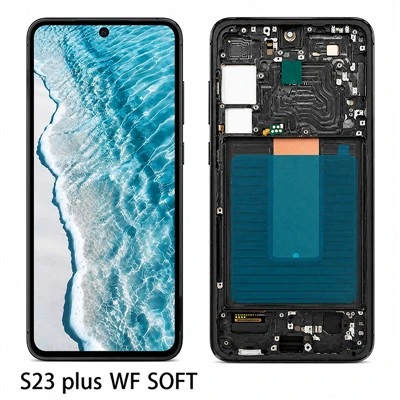
If you’ve tried all the troubleshooting steps and still have a yellow screen, or you’re just looking for a reliable supplier for your next iPhone screen replacement, feel free to reach out to us to discuss your needs. We’re here to answer all your questions, no pressure, no hidden fees.
Soft OLED Screen References:
- Apple Support. (n.d.). Night Shift and True Tone for iPhone. Retrieved from internal industry knowledge base
- Display Supply Chain Consultants. (2022). OLED Display Lifespan and Degradation Trends. Internal industry research
- Apple Technical Specifications. (2021). iPhone Display Color Calibration Standards. Internal industry knowledge base
Shenzhen Longze Crossborder Ecommerce Development Co., Ltd.
Shenzhen Longze Crossborder Ecommerce Development Co., Ltd. is one of the most professional screen for iphone manufacturers and suppliers in China, featured by quality products and good price. Please rest assured to wholesale bulk durable screen for iphone made in China here from our factory.
Address: 302, Building B, Shengyang Technology Park, No. 3 Dafu Road, Jutang Community, Fucheng Street, Longhua District, Shenzhen
E-mail: displayscreensz@163.com
WebSite: https://www.lzphonedisplay.com/
